- 4.9
- Rating
- 10.00K
- Installs
- Free
- Price

 Analysis by App-foxy
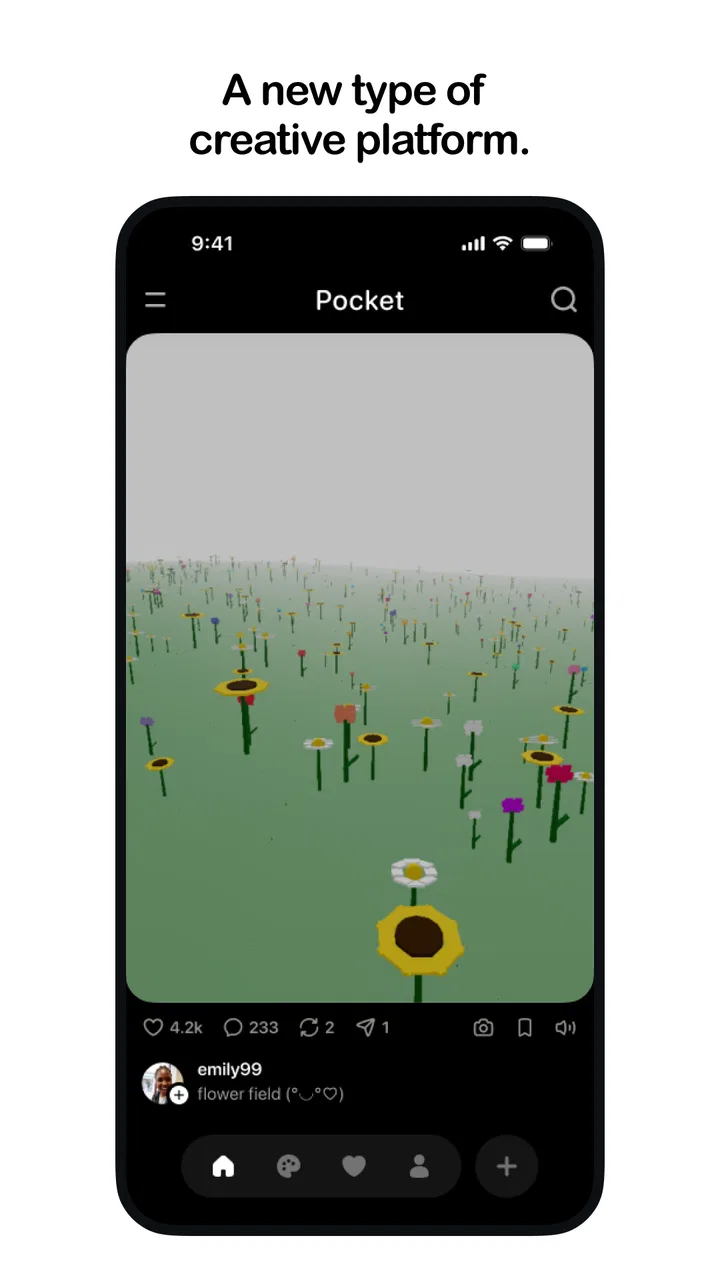
I approached Pocket as a small creative workspace rather than a traditional drawing program. It belongs to the Art & Design category, comes from Meta Platforms, Inc., and is free to use. Its basic idea is appealing: make and share “gizmos” from a phone, with less ceremony than opening a full desktop design suite. The store summary calls it a new creative platform, while the short description is simply “Pocket,” so the real question is how comfortable that creative process feels in everyday use.
My overall impression is that Pocket makes the most sense for quick visual experimentation, playful ideas, and sharing small creations without committing to a complicated production workflow. It is not the app I would choose for precise professional illustration, detailed typography, or a carefully managed client project. I would choose it when I want to turn a thought into something visual quickly, especially when I am working from a phone and do not want a large collection of tools competing for attention.
How Pocket feels to use across different abilities and situations
I’d look at Pocket through the practical question of whether a compact creative workflow can make getting started easier for different people and settings. In my view, the answer depends not just on how simple an app feels, but on whether its small-scale approach fits someone’s preferred way of seeing, moving, and concentrating. That distinction matters as I consider where it works well and where another tool may be kinder to use.
You May Also Like

 AccuWeather: Weather Radar
AccuWeather Review: A Quick, Clear Forecast for Everyday Decisions
For everyday plans, the best forecast is the one you can understand quickly. AccuWeather makes rain timing, radar, and local conditions easy to act on, with a few trade-offs.

 Hill Climb Racing
Why Hill Climb Racing Still Turns Crashes Into One More Run
A tiny car, a bumpy hill and one more upgrade: Hill Climb Racing keeps resurfacing because its simple chaos makes every near-miss feel personal.

 AliExpress - Shopping App
AliExpress Makes Global Shopping Feel Personal, but Shoppers Bear the Risk
AliExpress turns a global marketplace into a pocket-sized discovery engine. Its reach is useful, its shopping loop compelling, and its trade-offs easy to miss.

 Lords Mobile: Kingdom Wars
Lords Mobile Is a Kingdom-Building Routine, Not a Quick Match
A case-by-case verdict on the building, battles, device demands, and social commitments that make Lords Mobile rewarding for some players and exhausting for others.

 PDF Scanner app - TapScanner
TapScanner Makes Paperwork Easier to Capture, Check, and Share
TapScanner makes scanning with a phone feel less like a rescue operation and more like a dependable step in getting work done. Its capture tools are useful, though not flawless.

 Block Blast!
Block Blast! Shows How Much a Puzzle Game Can Leave Out
A quiet grid game shows why puzzle players increasingly value instant clarity, repeatable skill and low-pressure play—and where the genre still needs to catch up.
More From Our News Desk
View All News


Readability and navigation that favor a lighter creative workflow
The strongest part of Pocket’s concept is its reduced scale. A pocket-sized creative platform can feel less intimidating than a conventional design application, particularly for someone who is curious about making things but does not already understand layers, brushes, canvases, export settings, or a long row of professional controls. I found that appealing because the first decision is not “which advanced tool should I learn?” but “what can I make with this idea?”
That simplicity can also help people who find dense interfaces tiring. A screen filled with tiny icons and nested menus creates a reading burden before the creative work even begins. Pocket’s identity suggests a more direct experience, and that is useful for casual creators, younger users, and anyone who prefers learning by trying rather than studying a manual. The Teen content rating is worth keeping in mind for families: it is not positioned as a children’s-only art toy, so parents should consider whether its creative and sharing environment fits the young person using it.
I would still recommend taking a few minutes to identify the main creation area, the sharing path, and any controls that affect the finished result. New creative apps often feel obvious at first and then become less obvious once a project grows beyond a quick experiment. If you are helping someone else get started, showing those three parts is more useful than explaining every control at once. It gives them a repeatable route from idea to finished gizmo without overwhelming them.
For users with reading difficulties or limited attention, a short, repeatable workflow is a real advantage. I would use a simple routine: open a new project, make one change at a time, pause to inspect it, and only then share it. That approach reduces accidental taps and makes it easier to understand what each action did. It also makes Pocket more approachable for someone who wants creative freedom but becomes frustrated when an app does not clearly show the relationship between editing and publishing.
There is a trade-off here. A compact interface can be easier to understand, but it may also hide options that an experienced designer expects to find immediately. People who rely on carefully labeled controls, persistent panels, or a familiar desktop-style arrangement may prefer a mature illustration or layout app. Pocket’s appeal is not that it replaces those tools; it is that it lowers the entry point for making something shareable.
Motor and sensory considerations when creating on a phone
Phone-based creation naturally places importance on touch accuracy. Small buttons, gestures, and movements can be difficult for people with tremors, reduced dexterity, joint pain, or limited range of motion. I would not assume that a short interface automatically solves those issues. The practical test is whether the actions you use most often can be performed comfortably without repeated pinching, dragging, or precise tapping.
For a user with motor limitations, I would begin with very simple creations and observe where effort accumulates. If the main action requires holding a finger in one place while moving it, that may be more demanding than a tap-based workflow. If sharing requires several closely placed controls, it may also create avoidable mistakes. Working in short sessions is sensible, not because Pocket is necessarily demanding, but because phone creativity can become physically tiring when the hand stays in one position for too long.
Users who are sensitive to visual clutter may appreciate the idea of a small creative canvas, particularly when compared with a professional suite that presents many simultaneous choices. On the other hand, visual simplicity is not the same as sensory comfort. Bright colors, rapid changes, or a busy shared feed can still be tiring. I would use the phone’s own display settings, such as text enlargement or contrast adjustments where they are available, and keep the screen at a comfortable brightness rather than judging the app in a single default setup.
Sound-sensitive users should also think about the context in which they plan to create and share. A quiet room, a commute, and a crowded public space all change how comfortable an interactive creative app feels. I prefer to separate the creative part from the social part: make the gizmo when I can concentrate, then review the result before sharing it. That small pause is useful for anyone who needs more time to process visual information or who is concerned about sending something by mistake.
People with color-vision differences may need to be careful when a design depends on color alone to communicate contrast or meaning. I would avoid using two similar shades as the only way to distinguish important parts of a gizmo. Adding differences in shape, spacing, or brightness makes the result easier for more people to understand. This is also good design practice for viewers looking at a phone outdoors, on a dim screen, or while distracted.
Situational access: where Pocket fits into real life
The most convincing use case for me is the five-minute idea capture. Imagine waiting for a friend, thinking about a visual joke, or noticing a pattern that could become a small interactive object. A full design program may feel like too much commitment, while a notes app cannot express the idea properly. Pocket sits in that gap: it gives the thought a visual form before it disappears.
I can also see it working for a casual group activity. One person could make a starting gizmo, share it, and use the responses as prompts for a second version. That is different from preparing a polished presentation because the value is in the exchange and the experimentation. The free price removes a financial barrier for someone who wants to try this kind of making without first buying a specialist tool.
For students and hobbyists, Pocket could be useful as a sketching companion rather than a final submission tool. I would use it to explore a visual direction, test whether an idea communicates clearly, or create a rough concept to discuss with classmates. I would then move to a more controlled application if the project required exact dimensions, extensive editing, dependable file organization, or formal presentation standards.
Its phone-first nature may help people who do not have access to a powerful computer. That matters in shared households, classrooms, travel situations, and moments when the only available device is already in a pocket. It also supports a different kind of creativity: instead of waiting until you are at a desk, you can work when an idea appears. The limitation is that a phone is still a small screen, so reviewing fine details or comparing several versions may become uncomfortable.
I would not recommend treating Pocket as an ideal tool for every context. If you need to work offline for long periods, collaborate under strict project controls, produce accessible documents for a formal audience, or preserve a complex editable source, I would choose a more established design application. Pocket is better suited to quick, personal, social, and exploratory work than to a workflow where every element must be audited and reproduced exactly.
Practical habits that make the experience more inclusive
One useful habit is to design for the person who will view the gizmo, not only for the person who made it. I would check the result at a smaller size, look at it in a brighter room, and ask whether the main idea remains understandable without relying on tiny details. This catches problems that are easy to miss while editing close to the screen.
A second habit is to build in pauses. Rather than changing many things quickly, I would make one adjustment, inspect the result, and then decide whether to continue. This is helpful for users who need more time between actions, and it also makes troubleshooting easier. If something looks wrong, I know which change caused it instead of having to undo a long chain of gestures.
A third is to keep the first project intentionally small. The temptation with a new creative platform is to test every possibility immediately, but that can make the app feel more complicated than it is. I would start with a single visual idea, use a limited set of elements, and practice the route from creation to sharing. Once that feels comfortable, the user can decide whether Pocket’s style matches their needs.
For people who share devices or work around others, I would review the final screen before publishing. A quick check helps avoid exposing an unfinished experiment or including visual material that was meant only as a private draft. The social side of a creative platform can be motivating, but it also means that accessibility includes confidence and control, not just whether the editing controls are easy to touch.
Remaining barriers and where another app may be better
Pocket’s biggest possible weakness is the same quality that makes it inviting: it is focused. A focused tool can remove distractions, but it can also leave out the controls needed for serious design work. If I need detailed retouching, vector precision, extensive text handling, or a dependable multi-stage production process, I would rather use an established drawing, photo-editing, or layout application. Those alternatives usually take longer to learn, but their extra structure is valuable when accuracy matters more than immediacy.
There is also a learning question for people who depend on a particular interaction style. Someone who works best with a keyboard, a mouse, a stylus, or a large monitor may not find a phone-first creative platform comfortable. Even a well-designed mobile workflow cannot provide the same physical space as a desktop setup. I would see Pocket as complementary for those users: useful for collecting ideas away from the desk, less suitable as the only place where a large project lives.
Sharing introduces another consideration. A person may be comfortable creating privately but less comfortable placing work in a social environment. I would encourage new users to understand the sharing step before investing much time in a project. The ability to make something quickly is valuable only if the user also feels able to decide when and where it is shown.
The app’s current version is 26.0.0.0.50, and it requires Android 10 or later. That requirement is reasonable for many recent devices, but it can exclude people using older phones, including users who keep an older device because its larger buttons or familiar settings are easier for them. Before recommending Pocket to someone else, I would check the operating system on their actual phone rather than assuming that a free app will run everywhere.
Its early scale also shapes my expectations. Pocket has an average rating of 4.9 from around 760 ratings, with about seven written reviews and over ten thousand installs. Those figures suggest encouraging early interest, but they do not tell me that the app has been tested across every device, workflow, or accessibility need. I would treat it as something to try personally, especially if a user has specific motor, visual, or sensory requirements that cannot be judged from a rating alone.
Who should try it, and who should skip it
I would recommend Pocket to a curious beginner who wants a low-pressure way to make visual ideas, to a hobbyist who enjoys playful experimentation, and to anyone who wants a phone-based creative outlet without paying upfront. It also seems suitable for a person who values quick progress more than a deep toolbox. The free price makes experimentation easier, and the Teen rating gives families a clear age context to consider before use.
I would be more cautious about recommending it to a professional illustrator, a designer preparing production-ready assets, or a user who needs a highly predictable interface with extensive control over every stage. I would also suggest another option for someone whose accessibility needs depend on specific assistive technologies or precise input methods that a touch-focused workflow may not accommodate comfortably.
For someone unsure, my advice is simple: try one small project, not a major commitment. Make a gizmo that communicates one idea, inspect it under different lighting, and see whether the gestures feel comfortable. Then try sharing only after you understand the path from draft to published work. That test answers more practical questions than a long feature list because it reveals whether the app fits your hands, eyes, attention, and daily routine.
My inclusive verdict
After looking at Pocket through the lens of different abilities and contexts, I see a promising lightweight creative option rather than a universal design replacement. Its strongest contribution is lowering the psychological and practical barrier between “I have an idea” and “I made something.” That matters for beginners, casual creators, and people who need a compact tool that can travel with them.
Pocket is at its best when accessibility means reducing unnecessary complexity without pretending that every user has the same needs. Its free access and mobile focus make it easy to consider, while the Teen rating, Android 10 requirement, and touch-based nature are important parts of the decision. I would recommend trying it for quick, social, exploratory creations, then moving to a more specialized alternative when precision, structure, or a particular input method becomes essential.
My final recommendation is positive but measured. If you want a friendly starting point for making and sharing small visual experiments, Pocket is worth exploring. If you need a complete professional studio or guaranteed comfort for a specific accessibility setup, it should be one option in your toolkit rather than the only one. The best result comes from matching its compact creative style to the situation where that style genuinely helps.
FAQs for Pocket
01What is Pocket, and what can I use it for?
Pocket is a read-it-later app that lets you save articles, web pages, videos, and other online content in one place for later viewing. After installing it, you can organize saved items with tags, browse a personalized recommendations area, and read supported articles in a cleaner, less distracting format. It is useful for people who regularly find interesting content but do not have time to read it immediately.
02Can I use Pocket without an internet connection?
Yes. Pocket allows saved content to be downloaded for offline reading, which is particularly helpful during flights, commutes, or in areas with unreliable connectivity. You generally need an internet connection when saving new pages or synchronizing your account, but previously saved items can be opened offline after they have been properly downloaded. Some interactive web elements may not work without an active connection.
03Does Pocket work on both Android and iPhone?
Pocket is designed for use across major platforms, including Android and iOS, and it can also be accessed through supported web browsers. Your saved content is linked to your Pocket account, so signing in on another device allows your library to synchronize. Availability of certain features, interface details, or system integrations may vary slightly depending on the device and operating system version.
04Is Pocket free, or does it require a subscription?
Pocket offers a free version that covers the essential experience, including saving and reading content. It also provides a paid Premium option for users who want additional benefits, such as a more customizable reading experience, permanent storage for saved items, and enhanced search or organization tools. Before subscribing, check the current pricing and feature list because plans can change by region and platform.
05Is my saved content private, and what should I know before using Pocket?
Your saved library is associated with your Pocket account and is not intended to be publicly visible by default. However, using the service requires creating or accessing an account and accepting its privacy and data policies. Pocket may also display recommendations or promotional content within the app. For privacy-conscious users, it is worth reviewing permissions, notification settings, and account controls before saving sensitive or personal web pages.
Pros
- Saves articles
- videos
- and pages for distraction-free reading later.
- Offline access makes saved content available without an internet connection.
- Tags and search tools help organize a growing reading list.
- Clean interface works well for focused reading on mobile devices.
- Syncs saved items across supported devices with the same account.
Cons
- Some advanced features require a Pocket Premium subscription.
- Web pages may lose formatting or interactive elements when saved.
- The service depends on publisher pages remaining available online.
- Large saved libraries can become difficult to manage without regular cleanup.
- Recommendations may not always match your interests or reading habits.

Gallery